
Home › Cloud Accounting Services Toronto
Toronto Cloud Accounting Solutions

Cloud Accounting Services in Toronto

Manage your business accounting through a connected cloud-based workflow that can make records easier to access, organize and review. Filing Taxes supports Toronto businesses with cloud accounting setup, reconciliations, transaction workflows, reporting coordination and year-end accounting support. Businesses that need ongoing record maintenance can also connect their cloud workflow with our bookkeeping services in Toronto .

✓
Cloud-Based Records Keep accounting information organized in an online system that authorized users can access when needed.
✓
Bank Reconciliations Connect accounting workflows with regular reconciliation of bank, credit card and business account balances.
✓
Financial Visibility Use current accounting records to support management reporting and better financial visibility.
✓
Year-End Coordination Keep cloud accounting records organized for financial reporting and corporate year-end tax work.
Toronto Business Support Cloud-Based Accounting Workflows Bookkeeping & Year-End Coordination
Cloud Accounting Consultation

Ready to Move Your Accounting to the Cloud?

Tell us about your business, current accounting setup and the records or reporting you need help managing. Our team can review your existing workflow and discuss the next steps for cloud accounting support.

Contact Form Demo
Toronto Cloud Accounting Local cloud accounting support for businesses, corporations and professionals in Toronto.
Cloud-Based Access Work with accounting information through a connected online accounting environment.
Connected Business Records Organize transactions, reconciliations and reporting within a more connected accounting workflow.
Local & Virtual Service Toronto, Mississauga and remote accounting support for businesses that prefer online workflows.

Cloud Accounting Services Toronto

Connected Accounting for Toronto Businesses

Cloud accounting allows business financial records to be managed through an online accounting platform so authorized users can access current information without relying entirely on locally stored files. Filing Taxes helps Toronto businesses organize cloud accounting workflows around transaction records, reconciliations, reporting and year-end needs. Businesses requiring ongoing record maintenance can connect their cloud setup with our bookkeeping services in Toronto , while companies needing broader ongoing support can explore our business accounting services .

Business professional using a calculator and laptop to review financial records and accounting reports for cloud accounting in Toronto
✓ Connected Cloud Accounting
Accounting Information in One Connected Workflow Bring business records, transaction activity, reconciliations and reporting into a more accessible cloud-based accounting process.

Cloud Accounting Services Toronto

What Is Cloud Accounting and How Does It Work?

Cloud accounting uses web-based accounting software to manage business financial records online. Instead of keeping accounting data only on a single local computer, authorized users can work with accounting information through an online platform, subject to the access controls and features of the software being used.

For Toronto businesses, a cloud accounting workflow can connect transaction records, reconciliations, invoices, bills and financial reporting in one environment. Filing Taxes helps businesses organize the accounting process around their actual records and reporting requirements. When ongoing transaction recording is required, this can be coordinated with our bookkeeping services in Toronto .

Online Accounting Access Authorized users can access accounting information through the selected cloud platform rather than relying only on files stored on one computer.
Connected Transaction Workflows Supported bank-feed and transaction tools can help bring account activity into the accounting workflow for review and categorization.
Account Reconciliations Compare accounting balances with bank, credit card and other supporting records to identify differences that require attention.
Invoices & Customer Records Keep sales, invoices and customer balances organized so accounts receivable information can be reviewed within the accounting system.
Bills & Payables Organize supplier bills, payment information and outstanding balances as part of the business's accounts payable workflow.
Financial Reporting Current accounting records can support management reporting and provide a stronger foundation for year-end financial statement preparation.
Cloud accounting does not mean the accounting runs by itself. Automation can reduce repetitive data entry and help organize transaction flows, but records still need appropriate review, reconciliation and accounting oversight. Available automation, integrations, security controls and bank connections also depend on the software platform and configuration being used.

Cloud vs Traditional Accounting

How Is Cloud Accounting Different?

The main difference is where the accounting system is accessed and how financial information moves through the workflow. Traditional accounting may rely on desktop software, locally stored files and manual document exchange, while cloud accounting uses an online platform that authorized users can access through an internet connection.

Cloud accounting can make collaboration and record access more convenient, but it does not replace proper bookkeeping, reconciliations or accounting review. Businesses that require ongoing maintenance of their records can combine a cloud workflow with our bookkeeping services in Toronto .

Cloud accounting is a workflow choice, not a replacement for accounting oversight. Online access, connected tools and automation can improve how accounting information moves through a business, but transactions still need to be reviewed, reconciled and reflected appropriately in the accounting records.
01

Online Access vs Local Desktop Access

Cloud accounting software is accessed online, allowing authorized users to work with business accounting information from supported devices and locations. Traditional desktop systems may keep the main accounting file on a specific computer, server or local network.

02

Connected Records vs Manual File Exchange

Cloud workflows can reduce the need to repeatedly email accounting files between a business and its accounting team. Depending on the platform, authorized users may work with the same accounting environment while maintaining separate access permissions.

03

Bank Connections vs More Manual Transaction Entry

Supported cloud platforms may connect with bank or credit-card feeds so transaction data can enter the accounting workflow for review. This can reduce repetitive entry, but imported transactions still need appropriate categorization and reconciliation.

04

Current Reporting vs Periodic File Updates

When accounting records are kept current, a cloud system can make financial information available without waiting for an updated desktop file to be transferred. Reliable reporting, however, still depends on the quality and completeness of the underlying accounting records.

05

Integrated Workflows vs Separate Accounting Tasks

Depending on the software, cloud accounting may connect invoicing, bills, expense records and other accounting tools within a broader workflow. This can help keep information organized for ongoing business accounting and year-end work.

06

Platform-Managed Features vs Local System Maintenance

Cloud platforms commonly manage software delivery and may provide features such as user permissions, backups or multi-factor authentication. Exact security, backup, integration and access features vary by provider and configuration, so they should be reviewed for the platform your business uses.

Cloud Accounting Support

What’s Included in Our Cloud Accounting Services?

Cloud accounting services can include system setup, review of existing books, bank-feed workflows, reconciliations, invoicing, payables, document organization and financial reporting. Filing Taxes helps Toronto businesses build a cloud accounting workflow around their actual records, reporting needs and day-to-day operations.

01

Cloud Accounting Setup & Configuration

Structure the online accounting environment around your business, financial accounts, reporting needs and everyday accounting workflow.

02

Existing Books & Migration Review

Review existing accounting records before a new cloud workflow is relied on, including opening balances, incomplete periods and records that may require cleanup.

03

Chart of Accounts Organization

Organize income, expenses, assets, liabilities and equity into accounts that support useful bookkeeping and financial reporting.

04

Bank & Credit Card Feed Workflows

Where supported, connect financial accounts so transaction activity can enter the cloud accounting workflow for review, matching and categorization.

05

Transaction Categorization

Establish a clearer process for reviewing and categorizing business income, expenses and other transactions recorded through the cloud system.

06

Bank & Account Reconciliations

Compare accounting balances against supporting financial records and identify differences requiring attention. Ongoing work can connect with our bookkeeping services .

07

Invoicing & Accounts Receivable

Keep customer invoices, sales transactions, collections and outstanding balances organized within the broader accounting workflow.

08

Bills & Accounts Payable

Organize supplier bills, payment information and outstanding amounts so payables are visible within the same accounting environment.

09

Expense & Document Workflows

Keep expense information and supporting accounting documents more organized using the record-handling features available within the selected system.

11

GST/HST Record Coordination

Keep sales-tax information connected with business records and transaction activity. Filing requirements can be coordinated through our HST return services .

12

Corporate Year-End Coordination

Keep cloud accounting records organized for fiscal year-end work and coordinate tax filing requirements through our corporate tax return services .

!

The exact cloud accounting workflow depends on your business and software. Bank connections, integrations, automation, document features, access controls and other functions vary by platform, subscription and configuration. The accounting records still require appropriate review and reconciliation.

Build a Cloud Accounting Workflow Around Your Business

Tell us what accounting system you currently use, whether your records are up to date and what financial information you need from the system. Filing Taxes can review your current setup and discuss the accounting work required for the next stage.

Cloud Accounting Setup & Migration

A Clear Process for Moving Your Accounting to the Cloud

Moving to cloud accounting should start with the records you already have, not simply with opening a new software account. Filing Taxes reviews your current accounting workflow, identifies what needs to be organized and helps establish a cloud-based process that can support ongoing bookkeeping, reconciliations, reporting and year-end accounting.

01

Understand Your Current Accounting Setup

We start by discussing how your business currently handles transactions, bank accounts, invoices, expenses, reporting and accounting records, along with the issues you want the cloud workflow to address.

02

Review Existing Books & Records

Existing balances and accounting records are reviewed before they are relied on in the new workflow. Missing transactions, unreconciled accounts or incomplete bookkeeping may need to be addressed first.

03

Set Up the Cloud Accounting Structure

The accounting environment is organized around the business, including the chart of accounts, opening information, users and relevant workflows. Available functions depend on the selected cloud accounting platform.

04

Connect Transactions & Reconcile Accounts

Where supported, bank and credit-card connections can be incorporated into the workflow. Imported activity is then reviewed, categorized and reconciled rather than being treated as automatically correct.

05

Establish Ongoing Accounting & Reporting

Once the workflow is operating, records can be maintained through regular accounting routines and connected with ongoing bookkeeping , financial reporting and corporate year-end work where needed.
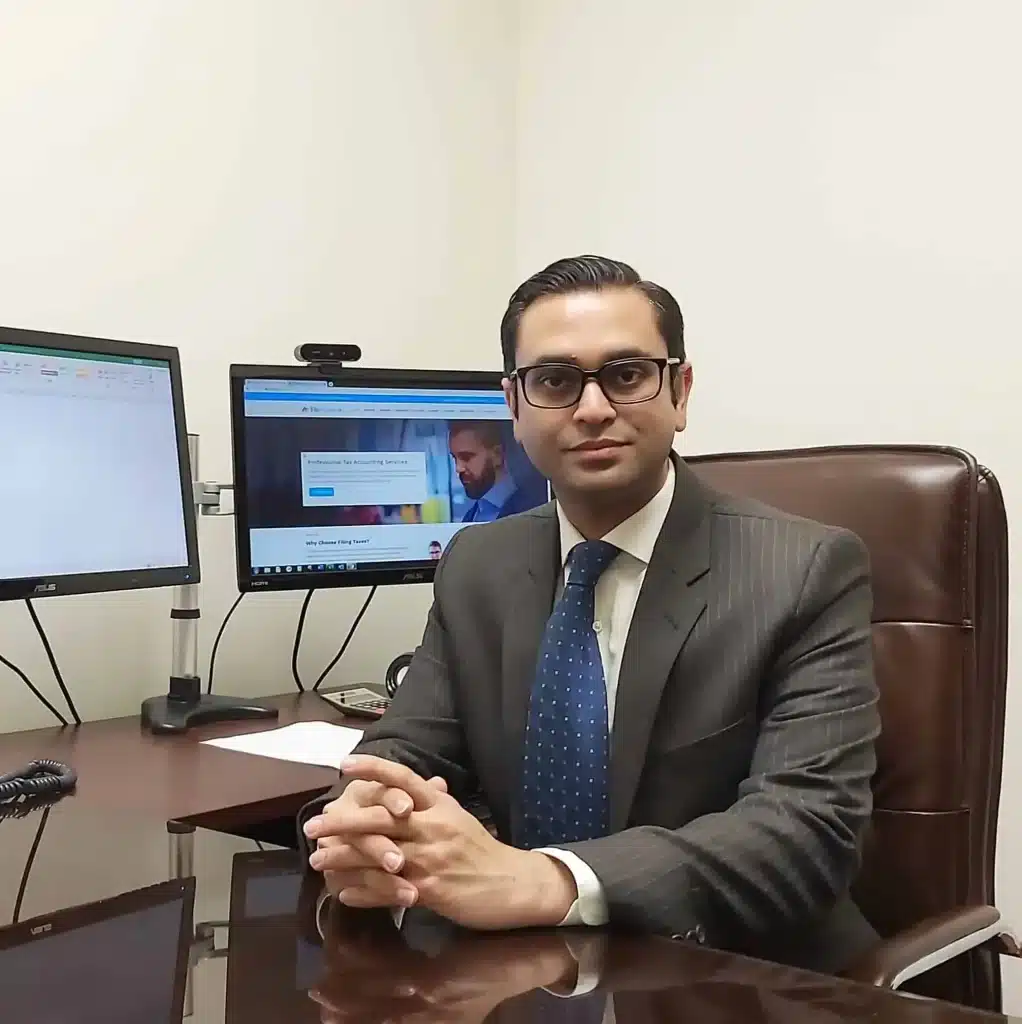
Filing Taxes Toronto Business Accounting Support
Salman Rundhawa, Founder and Tax Partner at Filing Taxes
Meet Your Accounting Team
Salman Rundhawa, MBA Founder & Tax Partner View Professional Profile →

Who We Help

Who Can Benefit From Cloud Accounting?

Cloud accounting can be useful for businesses that want their financial records, transaction workflows and reporting to be accessible through a connected online accounting environment. Filing Taxes supports Toronto businesses with cloud accounting workflows based on their size, record-keeping needs and existing accounting processes.

Small Businesses

Small businesses that want to keep transactions, bank activity, invoices and accounting records in a more organized online workflow can use cloud accounting as part of their ongoing financial administration.

Owner-Managed Corporations

Incorporated businesses can use a connected accounting workflow to keep bookkeeping information organized for management review, GST/HST records, financial reporting and corporate year-end tax work .

Startups & Growing Companies

Growing businesses may benefit from establishing a structured accounting system early so financial accounts, transaction categories and reporting workflows can develop alongside the business.

Professional Service Businesses

Consultants, agencies and other professional businesses may need a practical way to coordinate invoices, expenses, bank activity and financial information without relying only on locally stored accounting files.

Businesses With Remote Teams

Businesses working across multiple locations can use authorized cloud access to make accounting information available to the appropriate team members and accounting professionals without continuously transferring desktop files.

Businesses Needing Regular Reporting

Businesses that review financial results throughout the year can benefit from keeping accounting records current. Reliable reports still depend on properly maintained and reconciled records. See our financial statement services .

Businesses Managing High Transaction Volumes

Companies processing frequent bank, credit-card, customer or supplier transactions may benefit from a more structured workflow for categorization and reconciliation. Ongoing maintenance can be coordinated with our Toronto bookkeeping services .

Businesses Moving Away From Desktop Accounting

Businesses relying on desktop software, spreadsheets or scattered accounting files may consider a cloud workflow when they need more convenient access and a more connected accounting process. Existing records should be reviewed before migration.

Is Cloud Accounting Right for Your Business?

The right setup depends on your current books, transaction volume, reporting needs, users and accounting processes. Filing Taxes can review your existing workflow and discuss whether cloud accounting fits your Toronto business.

Cloud Accounting Client Reviews
✓ Current Google Client Reviews

What Clients Say About Filing Taxes

Businesses moving to cloud accounting need more than access to online software. They need organized records, reconciled accounts, clear financial information and dependable accounting support. Filing Taxes works with businesses across Toronto and Mississauga on cloud accounting setup, bookkeeping workflows, reconciliations, financial reporting and year-end coordination. The reviews below are loaded through our Google review integration so you can read current feedback directly from Filing Taxes clients.


Posted on Google Google
Malik Zahid Channer profile picture
Malik Zahid Channer
Google star 1Google star 2Google star 3Google star 4Google star 5Trustindex verifies that the original source of the review is Google.
Professional, knowledgeable, and responsive. They helped me file my corporate taxes on time and answered all of my questions. Great service from start to finish.
Posted on Google Google
Salman Sallu profile picture
Salman Sallu
Google star 1Google star 2Google star 3Google star 4Google star 5Trustindex verifies that the original source of the review is Google.
I had an excellent experience with Filing Taxes. Their team explained everything clearly, handled my tax return professionally, and made the entire process stress-free. Highly recommended for anyone looking for a reliable tax accountant in Toronto.
Posted on Google Google
Ali Saleh profile picture
Ali Saleh
Google star 1Google star 2Google star 3Google star 4Google star 5Trustindex verifies that the original source of the review is Google.
Friendly and knowledgeable.
Posted on Google Google
Shoaib Chaudhary34 profile picture
Shoaib Chaudhary34
Google star 1Google star 2Google star 3Google star 4Google star 5Trustindex verifies that the original source of the review is Google.
Excellent bookkeeping and payroll service. Everything was handled accurately and on time, making it easy to keep my business finances organized and compliant. Highly recommended!
Posted on Google Google
David Salman profile picture
David Salman
Google star 1Google star 2Google star 3Google star 4Google star 5Trustindex verifies that the original source of the review is Google.
Friendly and quick service. Recommend strongly
Posted on Google Google
Grand Prix profile picture
Grand Prix
Google star 1Google star 2Google star 3Google star 4Google star 5Trustindex verifies that the original source of the review is Google.
Excellent tax planning service—professional advice that helped me save time and money.
Posted on Google Google
Mhr Moon profile picture
Mhr Moon
Google star 1Google star 2Google star 3Google star 4Google star 5Trustindex verifies that the original source of the review is Google.
Highly professional and reliable tax accountant in Toronto. They handled my tax filing efficiently and explained everything clearly. Very knowledgeable, responsive, and made the whole process stress-free. I would definitely recommend their services to anyone looking for trustworthy tax help in Toronto.
Posted on Google Google
Shakir G profile picture
Shakir G
Google star 1Google star 2Google star 3Google star 4Google star 5Trustindex verifies that the original source of the review is Google.
Excellent experience with Filing Taxes. Their team is professional, knowledgeable, and always ready to help with tax and accounting matters. Highly recommend them if you're looking for a reliable accountant in Toronto.
Posted on Google Google
Nick Conforti profile picture
Nick Conforti
Google star 1Google star 2Google star 3Google star 4Google star 5Trustindex verifies that the original source of the review is Google.
Quick efficient and reasonable
✓
Cloud-Based Accounting Support Support for setup, accounting workflows, reconciliations and organized online records.
✓
Connected Bookkeeping & Reporting Keep transaction records, bookkeeping and financial reporting connected within a more organized accounting workflow.
✓
Toronto & Mississauga Support Work with Filing Taxes through our GTA offices or coordinate your cloud accounting requirements remotely.
Meet Your Cloud Accounting Team

Professionals Supporting Your Cloud Accounting & Financial Records

Cloud accounting works best when the software, bookkeeping records, reconciliations and financial reporting are treated as parts of the same accounting process. Filing Taxes helps Toronto businesses coordinate cloud-based accounting workflows with ongoing bookkeeping, GST/HST records, payroll information, financial reporting and corporate year-end requirements.

Salman Rundhawa, Founder and Tax Partner at Filing Taxes
15+ Years of Tax & Accounting Experience
Founder • Tax Partner • MBA

Salman Rundhawa

Salman Rundhawa leads Filing Taxes with experience across business accounting, financial reporting, personal and corporate taxation, tax planning and CRA-related matters. For businesses using cloud accounting, this broader accounting perspective helps connect day-to-day financial records with reconciliations, reporting and the information required for year-end accounting and corporate tax work.

Cloud AccountingBusiness AccountingFinancial ReportingCorporate TaxYear-End Coordination
Cloud Records With Year-End Context A cloud accounting system is most useful when the underlying records remain organized and reconciled. Keeping year-end reporting and corporate tax requirements in view can reduce unnecessary accounting cleanup later.
View Salman Rundhawa's Profile →
Adeel Asim, Tax Manager at Filing Taxes
Tax Manager
Tax Manager

Adeel Asim

Adeel Asim supports Filing Taxes clients with tax preparation, accounting coordination, business records and CRA-related requirements. In a cloud accounting workflow, complete source records and properly reconciled balances remain important because GST/HST, payroll information, financial reports and corporate tax figures can all depend on the quality of the underlying accounting data.

Accounting CoordinationBusiness RecordsReconciliationsTax PreparationCRA Support
Cloud Software Still Needs Organized Records Automated feeds and online access can support the workflow, but transactions still need suitable categorization, reconciliation and review before the accounting information is relied on for reporting or tax purposes.
Speak With Our Cloud Accounting Team →

Need Help With Your Cloud Accounting Workflow?

Speak with the Filing Taxes team about cloud accounting setup, existing books, reconciliations, transaction workflows and financial reporting. Businesses needing ongoing transaction-level support can also review our bookkeeping services in Toronto , while incorporated businesses can connect their accounting records with our corporate tax return services .

Cloud Accounting Resources

Related Cloud Accounting Guides

Explore practical Filing Taxes guides covering cloud accounting, bookkeeping, financial records and accounting systems for Toronto businesses. These resources can help business owners understand how organized records, connected workflows and current financial information fit into day-to-day accounting and year-end preparation.

Business accounting records and financial reports being reviewed

Is It Time for Bookkeeping Catch-Up?

Learn how unreconciled accounts, missing transactions and outdated records can affect the information available in an accounting system.

Read Bookkeeping Guide →

Business professionals reviewing startup accounting and financial records

Bookkeeping & Accounting for Toronto Startups

See how startups can establish better processes for transactions, cash flow, receivables, payables and financial reporting from the early stages of the business.

Read Startup Accounting Guide →

Business professionals reviewing financial reports and accounting records

Why Toronto Businesses Need Accounting Services

Explore how bookkeeping, reconciliations, reporting and organized accounting records support financial management throughout the business year.

Read Business Accounting Guide →

Business owner reviewing accounting and financial information

Entrepreneurial Accounting: Essential Insights

Learn how entrepreneurs can use organized accounting information to monitor income, expenses, profitability and cash flow as the business develops.

Read Entrepreneurial Accounting Guide →

Is Your Cloud Accounting System Giving You Reliable Numbers?

Online access alone does not make accounting records accurate. If balances are not reconciled, transactions are missing, categories are inconsistent or reports cannot be relied on, the underlying accounting workflow may need to be reviewed.

Business Accounting & Tax Videos

Watch Helpful Accounting & Business Tax Videos

Explore Filing Taxes videos covering small business taxation, corporate structures, sole proprietors, asset reporting and tax planning. These topics connect with the financial records businesses maintain throughout the year. For ongoing transaction recording and account reconciliation, see our bookkeeping services in Toronto .
Filing Taxes video about tax planning considerations for Canadian small business owners
Small Business Tax

5 Tax Loopholes for Small Business

Explore tax-planning ideas for Canadian business owners and see why reliable accounting records are important when reviewing income, expenses and business tax decisions.

Watch Video →

Filing Taxes video explaining holding companies for Canadian businesses
Corporate Structure

The Power of Holding Companies

Learn how holding companies can fit into a corporate structure and why separate, organized accounting records become important when more than one corporation is involved.

Watch Video →
Filing Taxes video with tax tips for Canadian sole proprietors freelancers and contractors
Self-Employed Records

Tax Tips for Sole Proprietors

Review tax considerations for freelancers, contractors and sole proprietors who need organized income, expense and transaction records throughout the year.

Watch Video →

Filing Taxes video explaining Canadian real estate tax considerations
Real Estate Records

Real Estate Taxes in Canada

Understand tax considerations around property income and transactions where organized acquisition, expense, income and disposition records can be important.

Watch Video →

Filing Taxes video explaining capital gains taxation in Canada
Financial Records

Understanding Capital Gains in Canada

Learn why purchase, sale and supporting records can matter when calculating and reporting gains from the disposition of assets.

Watch Video →

Filing Taxes video discussing savings and tax planning for a first home in Canada
Tax Planning

Saving for Your First Home in Canada

Explore Canadian savings and tax considerations that illustrate how financial records, planning decisions and tax matters can overlap.

Watch Video →

Better Accounting Records Support Better Business Decisions

Cloud software can make financial information easier to access, but useful reporting still depends on accurate transaction records and reconciled balances. Businesses that need year-end tax support can connect their accounting workflow with our corporate tax return services .

Cloud Accounting Offices

Cloud Accounting Support in Toronto & Mississauga

Filing Taxes supports Toronto and Mississauga businesses with cloud accounting setup, organized bookkeeping workflows, reconciliations and financial reporting. Cloud accounting can also connect with our bookkeeping services , financial statement preparation , GST/HST return services and corporate tax return support when required.

Filing Taxes Mississauga office at 5770 Hurontario Street
Mississauga Office

Mississauga Cloud Accounting Support

Meet with the Filing Taxes team in Mississauga to discuss your current accounting system, bookkeeping records, reconciliations, reporting needs and transition to a more connected cloud accounting workflow.

📍
5770 Hurontario St Suite 102, Mississauga, ON L5R 3G5
⏰
Mon–Fri: 9AM–5PM
Filing Taxes Toronto office at 401 Bay Street
Toronto Office

Toronto Cloud Accounting Office

Visit our Toronto office to discuss cloud accounting setup, existing books, transaction workflows, account reconciliations, financial reporting and the accounting records needed for corporate year-end work.

📍
401 Bay Street, Suite 1600, Toronto, ON M5H 2Y4, Canada
⏰
Mon–Fri: 9AM–5PM
Cloud Accounting Setup Organize a connected online accounting workflow.
Bookkeeping & Reconciliation Keep transactions and account balances organized.
Financial Reporting Use current records to support business reporting.
Year-End Coordination Keep accounting records organized for corporate year-end.

Need Cloud Accounting Help in the GTA?

Book a consultation with Filing Taxes to discuss your existing books, accounting software, bank and credit-card records, reconciliations and reporting needs. If the current records are incomplete or inconsistent, we can identify what should be organized before relying on the new cloud accounting workflow.

Frequently Asked Questions

Questions About Cloud Accounting Services in Toronto

Find practical answers about cloud accounting software, setup and migration, bank feeds, reconciliations, bookkeeping, reporting, security, user access, GST/HST records and corporate year-end coordination.

Cloud accounting uses web-based accounting software to store, organize and manage financial records online. Authorized users can generally access the accounting environment through an internet connection rather than relying only on files stored on one local computer. Depending on the platform and setup, cloud accounting can support transaction processing, bank connections, invoicing, reconciliations and financial reporting.

Cloud accounting services can include reviewing an existing accounting system, setting up the cloud accounting structure, organizing the chart of accounts, reviewing opening balances, establishing transaction workflows, connecting supported bank and credit-card accounts, reconciling balances, coordinating invoices and bills, and preparing financial information. The exact scope depends on the business, software and condition of the existing records.

Traditional desktop accounting software is commonly installed and maintained on a specific computer or local system, while cloud accounting is generally accessed online. Cloud systems can make remote access, collaboration and connected workflows more convenient. The accounting principles do not change, however. Transactions still need appropriate categorization, supporting records and reconciliation before reports are relied on.

Filing Taxes can review your existing accounting records and discuss the work required before establishing a new cloud accounting workflow. A migration may involve reviewing opening balances, the chart of accounts, prior transactions, bank reconciliations and incomplete bookkeeping. The required process depends on the current system, the quality of the existing records and the capabilities of the selected accounting platform.

No. A bank feed can help bring transaction information into supported accounting software, but imported activity still needs to be reviewed, matched, categorized and reconciled. Duplicate entries, missing items or incorrect categories can still occur. A connected feed can reduce some manual work, but it does not replace accounting review or regular reconciliation.

Reconciliation compares balances and transactions in the accounting system with external financial records such as bank or credit-card statements. It can identify missing transactions, duplicates, incorrect amounts and unexplained differences. Cloud access may make records easier to work with, but reliable financial reporting still depends on properly maintained and reconciled books. Ongoing support can also be coordinated through our bookkeeping services in Toronto .

Not exactly. Cloud accounting describes the broader use of online accounting software and connected financial workflows. Cloud bookkeeping focuses more specifically on maintaining day-to-day transaction records within that environment. Bookkeeping can include recording transactions, categorizing expenses, maintaining receivables and payables and reconciling accounts, while broader accounting may also involve financial reporting and year-end coordination.

Security depends on the accounting platform, subscription, configuration and the practices used by the business. Established platforms may provide features such as encryption, user permissions, multi-factor authentication and backup or recovery controls, but the available protections vary. Businesses should also use strong passwords, appropriate user access and other sensible account-security practices rather than assuming that cloud software removes security risk.

Many cloud accounting platforms support multiple authorized users, although the number of users and available permission levels depend on the software and subscription. Businesses should give each user only the access required for their role. This can allow owners, internal staff and accounting professionals to work with the same accounting environment without sharing one login.

Yes. When the underlying accounting records are current and properly reconciled, a cloud accounting system can support reports such as profit and loss statements, balance sheets, receivable balances, payable balances and other management information available through the selected platform. More formal year-end reporting needs can also connect with our financial statement preparation services .

Yes. Sales-tax transactions, payroll-related entries and year-end balances are part of the broader accounting record. Depending on the engagement, cloud accounting records can be coordinated with GST/HST return services , payroll accounting and corporate tax return preparation . Each service still has its own records, deadlines and filing requirements.

Yes, but moving incomplete books into a new system does not automatically correct the underlying problems. It may be necessary to identify incomplete periods, collect missing records, review existing balances and reconcile accounts before or during the transition. The amount of catch-up work depends on the condition of the existing accounting records.

Cloud accounting can be useful for small businesses, owner-managed corporations, startups, professional service firms, growing companies and businesses with remote or multi-location teams. Whether it is appropriate depends on the company's transaction volume, reporting needs, users, internal processes and the features required from the accounting platform.

The cost depends on the actual scope of work. Factors can include the condition of existing books, transaction volume, number of financial accounts, required setup or migration, reconciliation work, reporting frequency, GST/HST or payroll coordination and whether catch-up bookkeeping is needed. Software subscription charges can also vary separately by provider and plan. Filing Taxes can review your current accounting setup and discuss the required service scope before providing a quote.